Your Tumblr blog feels like a cluttered attic—a jumble of posts, photos, and links that never quite coheres into a professional front. That DIY charm worked for a personal diary, but now your creative work or side business demands a space that looks intentional, where visitors can immediately grasp what you do and stick around to see more. The default themes aren't built for that clarity; they prioritize the stream over the statement.
This list cuts through the noise to themes engineered for focus, like the corporate-ready Ellisium or the visual portfolio grid of Bloq. Each one shifts the platform from a scrolling feed to a purposeful site, offering clean layouts, dedicated portfolio sections, and business-friendly widgets without sacrificing Tumblr's native post flexibility. See which design turns your dashboard into a destination.
Product list
Resources in this article
Compare the options below. Check the provider’s current features, pricing and compatibility before choosing.
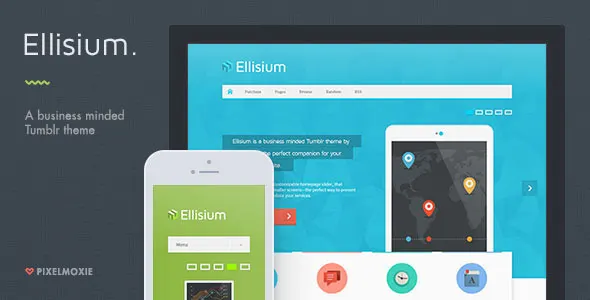
Ellisium
htmlEllisium is a blogging Tumblr theme with a corporate bent. With its clean and open layout, Ellisium is the perfect companion for your business’ main website. Ellisium includes a very customizable homepage slider that gracefully adapts to smaller screens—perfect to showcase your products and services. The homepage allows you to display up to four Services blocks, and you can choose between bitmap or webfont icons. Ellisium also includes “Call to Action” and “Page Hero” sections to grab your visitors attention, a smart sticky sidebar, and a lot more. Homepage Slider Ellisium comes with a versatile homepage slider that lets you feature images, alongside a short title and description, plus a “click me” button, for each one of the slides. It adapts well to mobile so your content is never hard to read, and you can position your images to the right or left, or have them cover the whole slide. It’s powered by the awesome FlexSlider and it’s touch friendly. Retina Ready Ellisium uses webfont icons for most of its interface, and high resolution image sprites for a few elements, so your website will look awesome and crisp on any device. Smart Sticky Sidebar The sticky sidebar on the left side keeps you company as you scroll down the page and it degrades gracefully on small screens, turning itself into a masonry arrange of widgets below your important content and, of course, it can be disabled at any time. Pinned Footer You can optionally “pin” the footer, so it hides behind the main content and it’s revealed as you reach the bottom of the page. This behaviour is enable by default but you can choose to deactivate if you prefer a more traditional footer. Responsive, Flexible Navigation The navigation bar gracefully turns into a stylish multi level dropdown menu below a certain screen width, which you can even define yourself. Services Blocks You can display up to four services blocks, each with their own bit
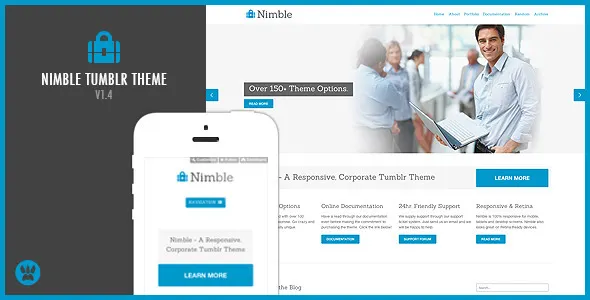
Nimble
htmlNimble is a responsive business theme for Tumblr. It features everything you need to show off your businesses services as well as providing you with a blog. Nimble comes with many custom widgets and areas for you to customise until your heart is content! Everything can be customised through the theme options panel right down to the text on buttons. So you don’t have to touch any code if you don’t want to. Check out the themes documentation for more information. Current version : 1.4 ( Changelog ) Theme Documentation Check out the theme documentation here: Nimble Documentation 100% Responsive and Retina Ready Scan the QR code below to view the theme on your mobile device Features 150+ Theme Options 100% Responsive and Retina Ready Flexslider responsive slider with swipe action for iPad. Supports ALL Tumblr post types Services home page area Testimonials scroller Disqus Commenting System Tag Cloud, Instagram Feed, Flickr Feed and Twitter Feed Multiple social network icons located in the footer PSD’s included for the image slider and logo Free access to the Support Forum Free updates Nimble in the Wild Imageworks – http://brandingthroughpeople.tumblr.com/ Rating this theme If you feel like rating this theme with a below 5 star rating then please do get in contact with me and explain what the issue is your having so I can improve the theme for you.
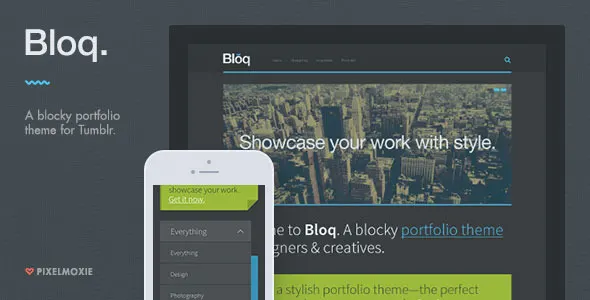
Bloq
htmlBloq is an stylish portfolio theme for Tumblr aimed at designers and creatives. Bloq portfolio grid features two different layout modes: Masonry and Rows. Bloq includes a touch optimized image slider, “Homepage Hero” and “Call to Action” sections, dark and light preset skins to get you started, and much more! Responsive layout—your portfolio looks great on phones, tablets and desktops. Retina ready— Bloq uses a combination of HTML5 canvas drawings and webfont icons, looking great on any device and specially on high density displays. Custom image logo—optionally with hover state and high resolution variations. Touch optimized homepage slider— Bloq uses swipe.js, the most accurate touch slider. You can upload up to five images with their own caption and URL. Unique portfolio grid with two different layout modes: Masonry and Segmented Rows. The last one is similar to the way Tumblr displays photosets natively Dynamically load the next set of portfolio projects on the homepage with Ajax. Ajaxified portfolio filter. Ajaxified permalinks—load your project’s description without leaving the homepage. Homepage Hero and Call-to-Action, to display a welcome message for your visitors and grab your users attention. Collapsible widget area: the widget area on top can be toggled and re-positions to the right side on smaller screens. Twitter, Flickr, Dribbble and Instagram feeds. Support for the following Tumblr post types: text, photo, photoset, quote, link, chat, audio, and video. Google Web Fonts for site-wide headings. Social icons: Behance, deviantArt, Dribbble, Facebook, Flickr, Google*, Instagram, LastFM, LinkedIn, MySpace, Picasa, Pinterest, SoundCloud, Twitter, Vimeo, YouTube. Support for Disqus commenting system. Easy Google Analytics implementation. Support for user created pages. Ask and Submit enabled. Chock-full of options—all colors can be changed from the customization sidebar Comprehensive documentation. v1.6.0 March 4, 2019 New: Add s
Jeffrey Smith
cms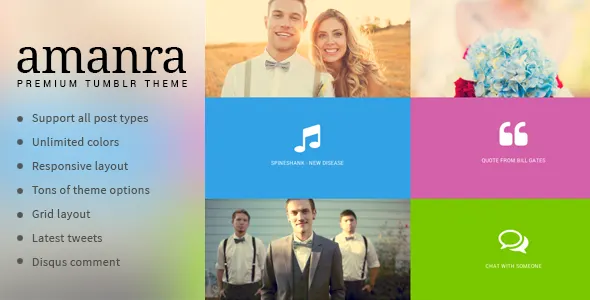
Amanra
htmlMeet Amanra, a slick and eye-catching Photography & Portfolio Tumblr theme to showcase your best work. Amanra is feature rich, the theme is already responsive and it is powered by Isotope grid layout for the homepage. The theme comes with lots of options to help you get started. Some of the cool options are: Unlimited colors, you can modify almost every colors in the theme from the theme options Contact and Social media links Latest tweets Sidebar toggle, the sidebar is hidden by default but it will pop out when you click on the toggle button. Slick page load and post hover animation Floating social sharing buttons Demo Images Credit http://www.flickr.com/photos/ryan_polei http://www.flickr.com/photos/pinksherbet http://www.flickr.com/photos/simon-bouchard Changelog January 8th, 2014 -- Version 1.0.0 - Theme is released
UMO Folio
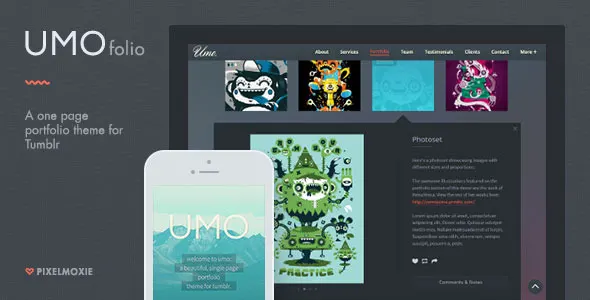
htmlMeet Umo , a one-page portfolio theme for Tumblr aimed at designers, photographers, illustrators, and all kinds of visual artists. This is a multi-section theme: besides the ubiquitous Portfolio grid, you get an About, Services, Team, Testimonials and Contact section. The Portfolio grid is quite flexible: you can define the number of columns for different screen resolutions and adjust the thumbnails’ shape and proportions. The Portfolio grid main attraction is the bespoke Ajax expander, which allows you to display each project details dynamically in an stylish way. The site footer houses your social links, Twitter and photostream feeds (Dribbble, Flickr, and Instagram). Please note that Umo only supports Photo, Audio and Video posts. Quote posts are used in addition to populate the Testimonials section. Although regular Text posts aren’t supported, you can create and display custom pages ( http://goo.gl/x2Sygw ). Umo includes the following sections, which can be switched on and off: Homepage: greet your visitors with a custom logo—or avatar—and message. Full page background image cycler with up to five images. About: introduce yourself or your company and let visitors know what you do best. “Skills” widget can be turned on and off. Services: be boisterous about your skill-set and expertize! Display up to six services boxes with their own image or icon, title, description and external link. An optional “swiper” lets you group your services into an horizontally scrollable widget. Portfolio: filterable portfolio grid chock-full of options! Filter your projects using smooth transitions and show their details in-page with the Ajax-powered project expander. Choose between landscape, portrait and square thumbnails, with rounded, circle or square shapes, flat or with shadows. Team: Display up to six team members, with custom avatars, name, job position, short bio, and the social links of your choice. An optional “swiper” lets
Gifta
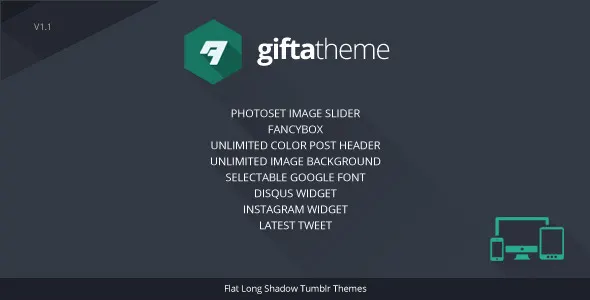
htmlGifta – Tumblr Theme is base on Flat Long Shadows designs, to represented more clean and elegan feel. This is tumblr theme that has many features such as photo sets turned into a responsive image slider, disqus widget and instagram widget. Please rate, if you like this Template With some creativity you can coustoumize the theme to something cool like bellow FEATURES HTML5 + CSS3 Gifta is created using the newest web standards (HTML 5, CSS 3) Photoset Image Slider Multi photoset will automatically be photo image slider, if you post multiple photo post Fancybox Image Pop Up Image will automatically be converted on pop up fancybox effect Unlimited Color Post Header This is color chooser for Header post Unlimited Image Background To create a background image according to your own taste Selectable Google Font Body text selected from the coolest google font options Disqus Widget The comments facility connected with your Disqus account Instagram Widget Photo gallery taken from your instagram account Like and Reblog buttons Has implemented new Tumblr features: Like and Reblog buttons Latest Tweet Twitter widget will automatically appear if your tumblr account to connect with Twitter account Social Media Icon You can set up your social media links here Skill Set Diagram You can fill the content according to your skill-owned, and the value of your ability level with a maximum value of 100 OPTION CREDITS I’ve uused the following fonts, lightbox, images, icons or other files as listed. jQuery — for javascript library Fit Video — for reponsive video embeded Jquery Fancybox — for portfolio jQInstaPics —is a simple jQuery plugin that enables you to display the latest pics from your Instagram feed on your website or blog. SlidesJS —is a responsive slideshow plug-in for jQuery (1.7.1+) with features like touch and CSS3 transitions Font Long shadow — For Flat Shadows effect Long Shadow — Long Shadows effect plugin PT Sans Narrow — for Content & tittle We Love Icon Fon
Supple
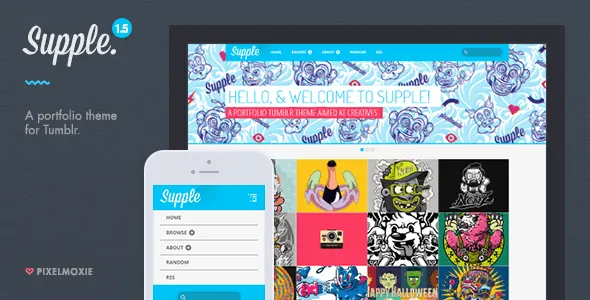
htmlSupple is a very versatile portfolio theme for Tumblr, aimed mainly at creatives: designer, illustrators, photographers, and any kind of visual artists. Supple flexible portfolio grid lets you set the number of columns to display for different screen resolutions and devices. Additionally, you can set the grid gutter and the thumbnails proportions: landscape, portrait, square, and anything in between. Responsive layout—your portfolio looks great on phones, tablets and desktops. Flexible portfolio grid—define your thumbnails aspect ratio: portrait, landscape, square. Retina ready— Supple uses a combination of raster and webfont icons and serves high resolution images to high pixel density displays. Custom image logo—upload your own standard and high resolution logo images. Responsive homepage slider—display up to five image slides, with optional heading and subheading and custom colors. Responsive photosets—display your photosets using Tumblr traditional layouts, albeit completely responsive. You can optionally enable a slider for your photoset permalink pages. Dynamically load the next set of portfolio projects on the homepage with Ajax. Twitter, Flickr, Dribbble and Instagram feeds. Spotify support—responsive Spotify embeds that adapt to any screen size. Support for all of Tumblr post types, including video from Vimeo and YouTube, SoundCloud and Spotify Embeds. Google Web Fonts for body text, heading and titles through the site. Social icons: Behance, deviantArt, Dribbble, Facebook, Flickr, Google+, Instagram, LastFM, LinkedIn, MySpace, Picasa, Pinterest, SoundCloud, Twitter, Vimeo, YouTube. Disqus comment count and Disqus comment threads. Customizable footer: enable or disable individual footer columns and widgets: About, Text Widget, Flickr, Dribbble, Instagram, Ask Me Anything. Filter posts by tag—define up to ten custom tags to enable your visitors to sort your portfolio by project type. Easy Google Analytics implementation. Support for static pages. Ask and Sub
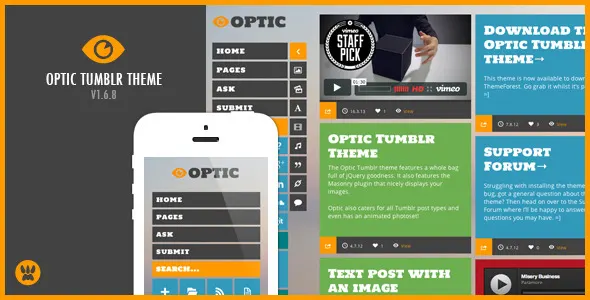
Optic
htmlOptic is a responsive Tumblr theme perfect for any blog type featuring the Masonry jQuery plugin. Showcase your artwork with complete focus on the post. Optic comes packed full of jQuery awesomeness and shows your posts in all their glory. Pick colours for any part of the theme so you can fully customise it the way you want. Also pick your favourite font from the Google fonts library and add it in using the themes options panel. The themes only image is the logo and the images you post it’s completely CSS! Resize your browser to see how it responds to your browser size. Current version: v1.6.7 ( Changelog ) Theme Documentation Check out the theme documentation here: Optic Documentation 100% Responsive and Retina Ready Scan the QR code below to view the theme on your mobile device 80+ Custom Theme Options. Customise until your heart is content. Change the colour of every element. Set up social network links and pick you favourite Google Font to use for the headers. Full list provided in the theme documentation. Optic uses the Masonry jQuery Plugin The Masonry jQuery plugin allows your posts to stack nicely making full use of the screen real estate. Posts can be any length you wish! Features 100% Responsive Layout 100% CSS, no images! Responsive images and videos Masonry jQuery plugin Infinite Scrolling Use ANY Google Font Toggle the sidebar People I Follow widget Retina display icons Post instantly on Twitter, Facebook, Google+ & Pinterest Pick colours for everything Pick any colour for text, chat, quote and link posts Supports all types of Tumblr posts. Add custom CSS After sales support Free and Unlimited Access to the support forum Instagram photo feed in sidebar (Added in v1.1) Flickr photo feed in sidebar (Added in v1.3) Dribbble feed in sidebar (Added in v1.6) Latest Tweet feed in sidebar (Added in v1.6) Upload a Retina logo (Added in v1.6) PSD’s for normal and retina logo mockups (Added in v1.6) Theme Support If your having any issues or have a
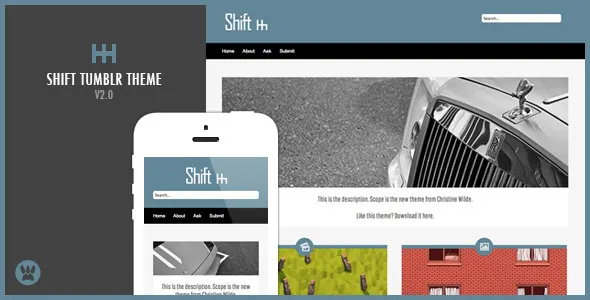
Shift
htmlThe Shift Tumblr theme is ideal for any blog, from a personal blog to portfolios! The image slider allows you to showcase your favourite images or best portfolio work. Shift supports all of the Tumblr post types and also features a custom post page with a sidebar to add affiliate links or a Flickr photo feed. You can set ANY colour you like for the theme by simply clicking on the Appearance tab and selecting a colour! The footer on the Shift Tumblr theme allows you to show off your latest Tweets, latest liked post and the people who you follow. Setting up the Shift Tumblr theme on your blog is easy and takes less than a minute! Simply copy and paste and adjust the colours to your favourite! Current version : v2.0 ( Changelog ) Video Tutorials How to install a Premium Tumblr Theme Features! 2 layout options – Added in v1.1 . Right to left reading template for Arabic – Added in v1.1 . Post Author on posts for Group Blogs – Added in v1.2 . Supports all Tumblr post types Supports all Tumblr features (pages, etc) Unlimited Colour Themes jQuery Image Slider (works on iPhone, iPad) 10 Google Fonts to choose from! Rollover colour fade effect on links Option to upload your own logo Cross Browser Compatible PrettyPhoto Image Viewer Twitter and Flickr Feeds ShareThis Buttons – Facebook, Twitter & Google+ Affiliate Banners Disqus Comments Google Analytics Help File Want more features? Just drop me a comment or mail and I’ll see to it that it is added in the next update! Shift Tumblr Theme in the wilderness! Joseph Perry – www.josephperry.org Tom Kelly Photo – tomkellyphoto.tumblr.com Featured on Best Tumblr Themes Please Note! If you feel like giving this item a less than 5 star rating, please get in touch and let me know why so that I can improve the item for you.
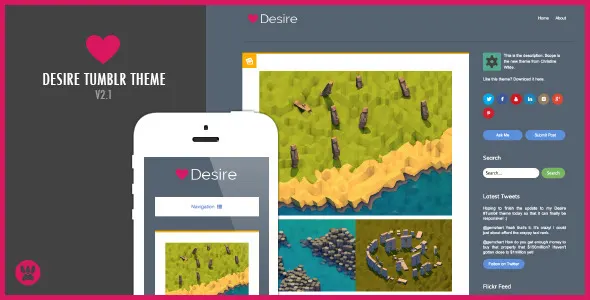
Desire
htmlThe Desire Tumblr theme is a fully responsive and retina ready Tumblr theme suitable for any blog type. Use it for your business blog, portfolio or just any general blog. All the graphics and javascript files are hosted on Tumblr’s own servers so no need to edit the code adding in links to your graphics. The HTML has been laid out clearly and is easy to navigate. I have also included comments throughout the CSS so you can quickly find certain elements. Please remember to rate the Desire Tumblr theme after purchasing it. Thank you! Current Version: v2.0 ( Changelog ) Features Responsive and Retina Ready Supports ALL Tumblr post types Change the colour for each post type icon Disqus Commenting System Fontello icon set for high quality, retina ready icons Instagram Feed, Dribbble Feed, Flickr Feed and Twitter Feed Multiple social network icons located in the sidebar PSD’s included for the logo and retina logo Free access to the Support Forum Video Tutorials How to install a Premium Tumblr Theme Responsive and Retina Ready Please Note! If you feel like giving this item a less than 5 star rating, please get in touch and let me know why so that I can improve the item for you. Updates View the changelog .